The old report
A father forgot the mother’s older lab reports. The doctor couldn’t decide, so the family had to come back another day, taking leave from work again, while her treatment waited.
The family health file
Kinsu keeps your prescriptions, lab reports, medicines and readings in one private app, along with your parents’ and children’s reports, labelled by person. So the next doctor sees the whole story, not just today’s.
Encrypted on your phone. No ads. Nothing sold.
Android only · free to download
Sound familiar?
The old report
A father forgot the mother’s older lab reports. The doctor couldn’t decide, so the family had to come back another day, taking leave from work again, while her treatment waited.
The prescription that left
A grandmother’s original prescription went off with an insurance claim. When the cardiologist needed it later, the family found it only because a copy had been uploaded to a pharmacy app.
Between visits
With no record of temperatures or of when medicines were taken, the doctor relied on memory and ordered extra tests to be safe. The respondent has kept a record ever since.
Real accounts from our survey of patients and caregivers, shortened.
This isn’t a technology problem. It’s a care problem. Kinsu fixes the part an app can.
What Kinsu does
Records
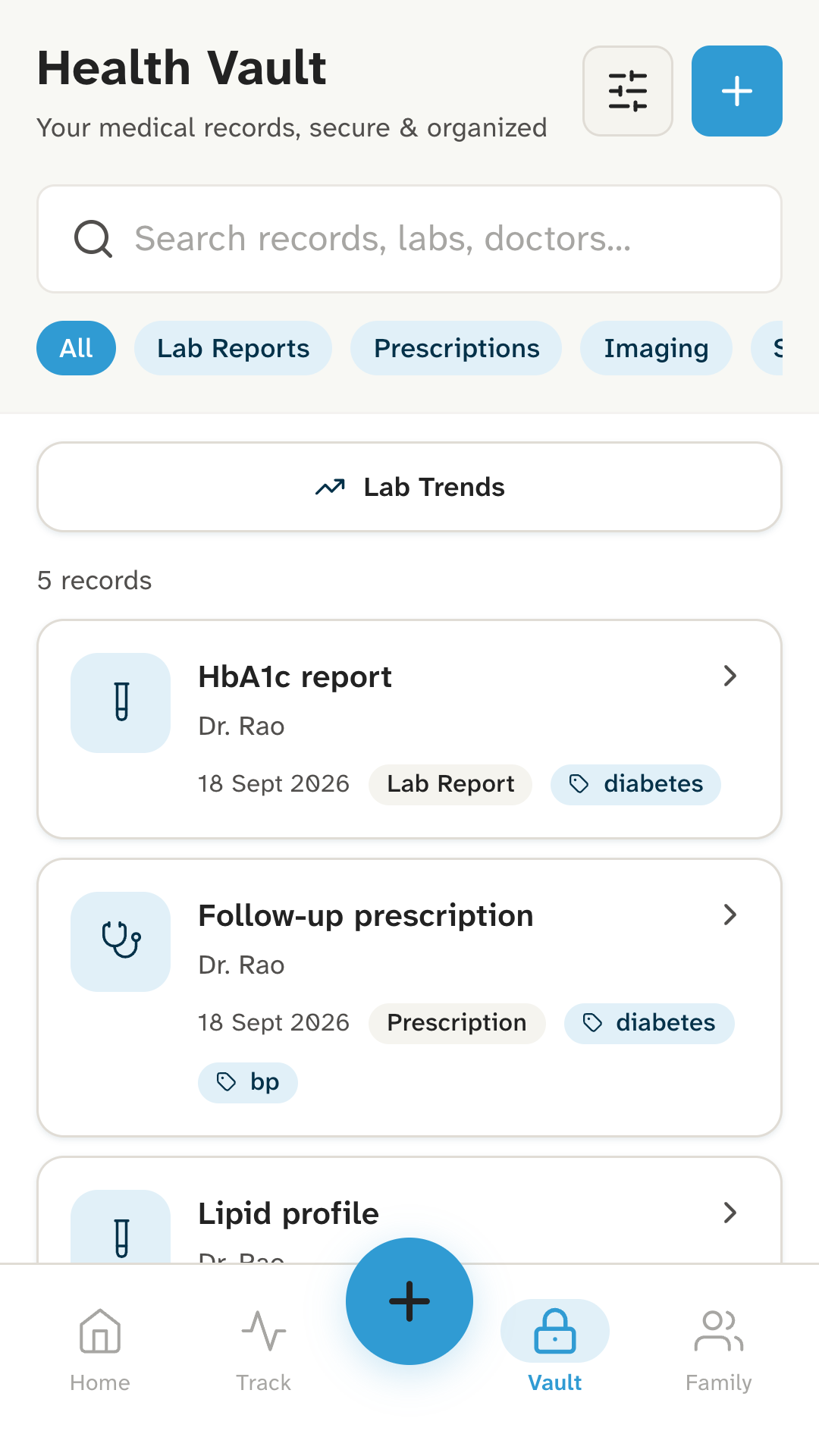
Add prescriptions, lab reports, scans and discharge summaries with your camera, from your gallery, or as a file. Crop a photo to the page, open PDFs inside the app, and search by name, doctor or tag.
Medicines
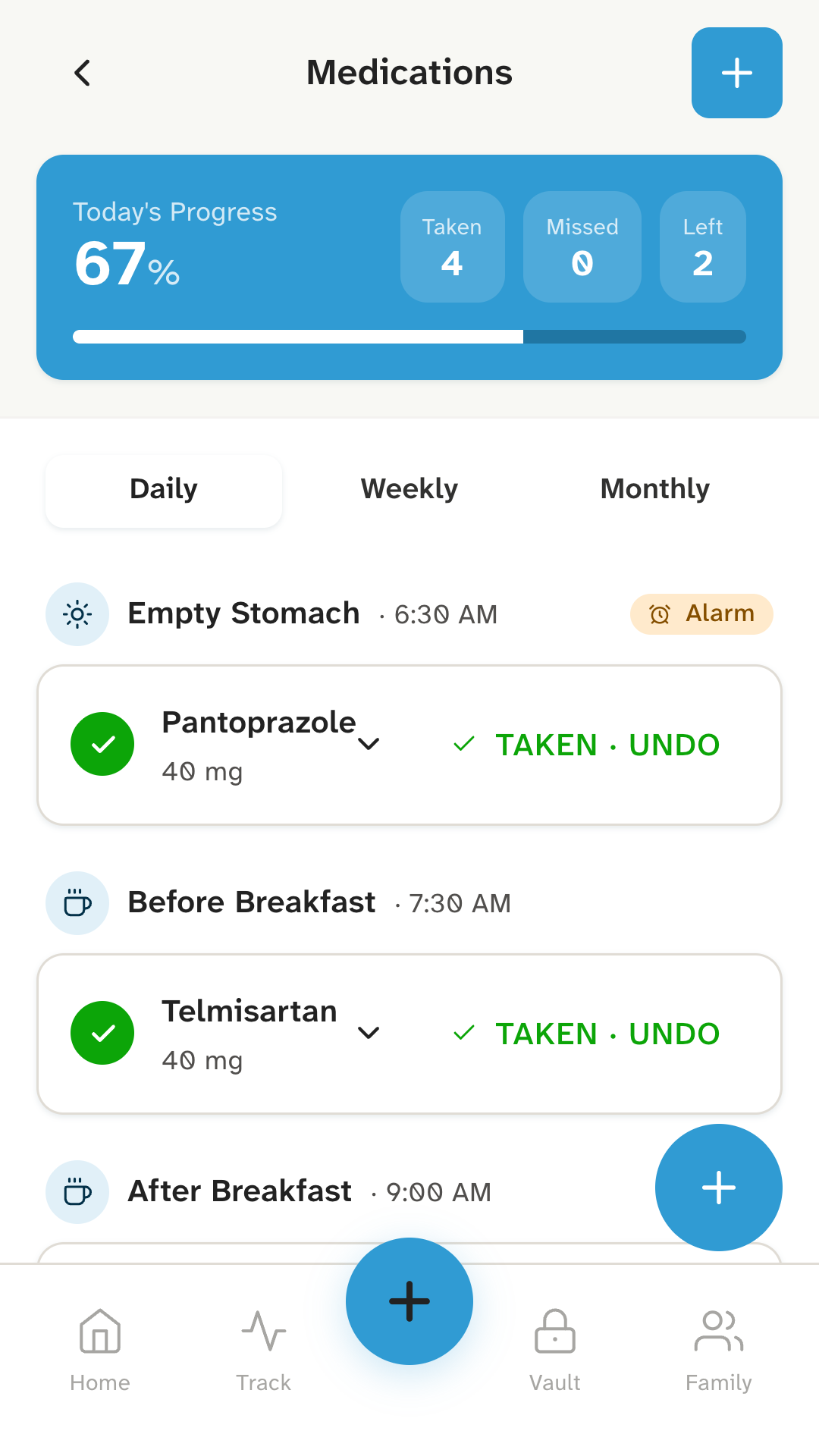
Set each medicine for an empty stomach, before or after breakfast, lunch or dinner, bedtime, or a time of your own. Daily, on the days you choose, monthly, or only when needed.
Mark a dose taken straight from the reminder. By default the reminder only says a dose is due, not which medicine, so nothing sensitive shows on your lock screen.
Readings
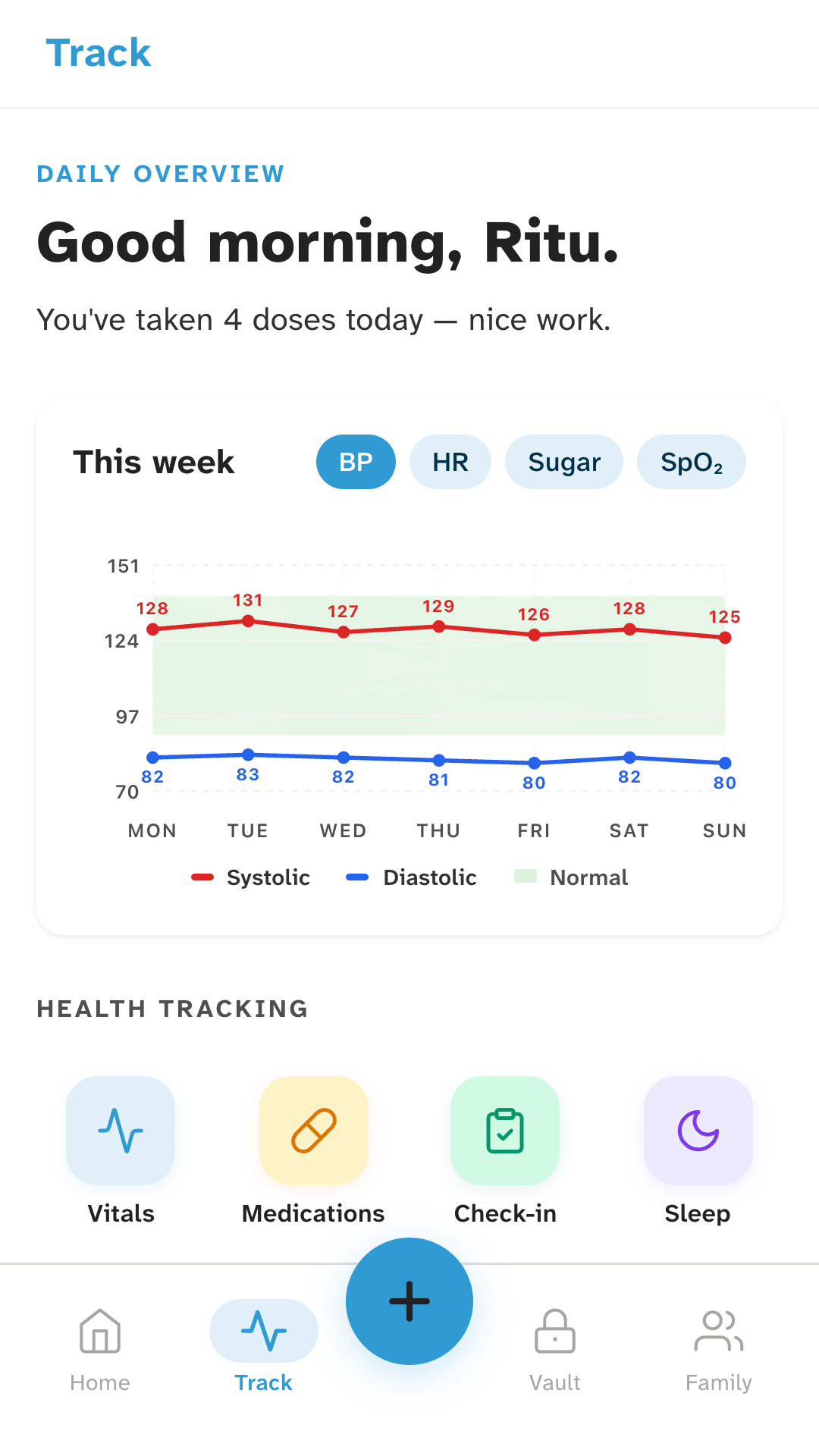
Log blood pressure, sugar, weight, pulse, SpO2 and temperature, and see the week on a simple chart. Note sleep, mood, symptoms, diet, exercise and illness episodes alongside them.
Family
Add family members and keep their prescriptions, reports and scans under their name, next to your own. Switch between people in the vault.
It all stays on your phone. Kinsu doesn’t send anyone’s records to them, or to anyone else.
At the doctor’s
In the vault, choose whose records you need: yours, or the ones you keep for your mother.
Search by name, doctor or tag. Last March’s blood test opens right there, as the photo or the PDF.
Your medicine list and the week’s readings are a tap away, for “what are you taking?” and “how has the BP been?”
You show the doctor your phone. Kinsu doesn’t send your records anywhere.
For your family
Several doctors, a paper file and reports scattered across WhatsApp. Keep their file in order, on your phone.
Keep the vaccination card and every paediatrician’s report safe, under your child’s name.
Medicines at the right times, readings between visits, and every report the specialist will ask for.
Private by design
Everything you add, encrypted (AES-256):
Two things, both to Google Firebase:
Signing in also sends Firebase the technical details it needs to sign you in safely, such as your IP address.
The app has no ads and no analytics, and sells nothing.The app opens with your fingerprint, face or screen lock, and won’t set up on a phone without one.How Kinsu protects your data
The honest list
Most apps hide their limits. Here are ours.
Why it matters now
A doctor deciding what to do next, a specialist giving a second opinion, even the AI tools people ask first: each can only work with what you bring.
The blood test from last March. The medicine that caused a rash. How high the BP went during the fever. That history is what turns a guess into a decision.
Kinsu keeps it, organised and private, on your phone, ready for whoever you choose to show it to.
Kinsu doesn’t run AI on your records, and doesn’t send them anywhere.
From the blog
Caring for parents
How to stay on top of your parents’ doctors, medicines and reports when you live far away: a practical plan that works without a hospital visit.
Medical records
What a discharge summary is, what it should contain, how to check it before you leave the hospital, and how to keep it safe for the next doctor.
Medical records
A plain way to sort prescriptions, lab reports, scans and discharge summaries for the whole family, on paper and on your phone, so you can find them in a minute.
Questions
Kinsu is free to download, and has no ads.
Your records aren’t. Everything you add stays on your phone, encrypted. Of what you put in Kinsu, two things leave it: your mobile number, which Google Firebase uses to text you a sign-in code, and an encrypted copy of your recovery key, which only your 12-word code can open. Signing in also sends Firebase technical details, such as your IP address and device identifiers, that it needs to sign you in safely.
No. Your records, and the ones you keep for family members, stay on your phone. Nobody else can open them, and Kinsu doesn’t send them to anyone.
Not yet. Records live only on the phone you added them on. You can export the categories you choose as spreadsheet files, but Kinsu can’t import them back. The files aren’t encrypted, so keep them somewhere safe.
Your records are only on your phone, so they go with it: there’s no cloud copy to restore from. Whoever has the phone can’t open them without your fingerprint, face or screen lock. Your 12-word recovery code gets you back in on the same phone if its security settings change; it can’t bring records to a new one.
Kinsu is Android-only for now, because that’s where we’re starting. There’s no iPhone version yet.
No. Kinsu is not a medical device and does not diagnose, treat, cure or prevent any medical condition. Always ask your doctor.
No. Kinsu doesn’t connect to ABHA, ABDM or any national health record system.
Kinsu isn’t on Google Play yet. Leave your email and we’ll write once, on the day it is.